 Ivora
IvoraShopify app
Order Sync Watchdog
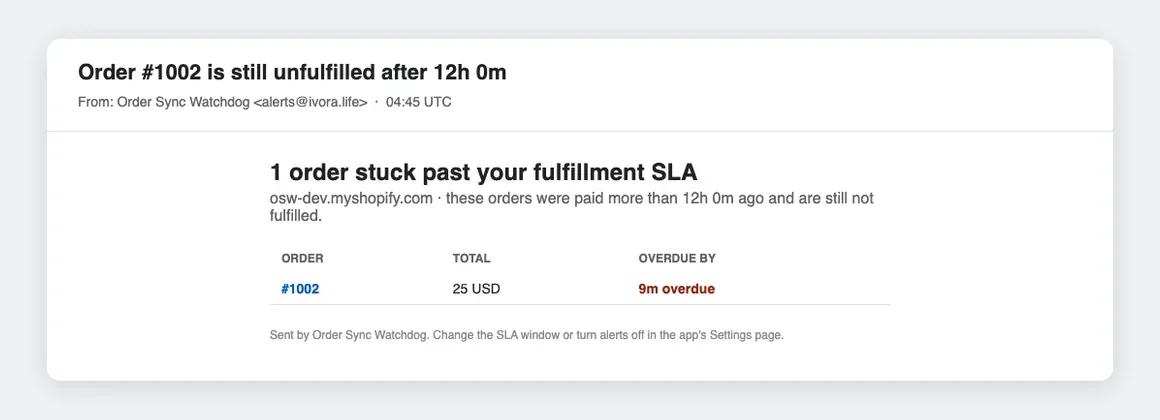
Emails you when a paid order stays unfulfilled for too long, before your customer notices.
In review for the Shopify App Store
What it does
Paid orders sometimes stall: a shipping or order-management app loses sync, fulfillment never updates, and nobody notices until the customer writes in. Order Sync Watchdog watches every paid order and alerts you when one is still unfulfilled after the window you choose.
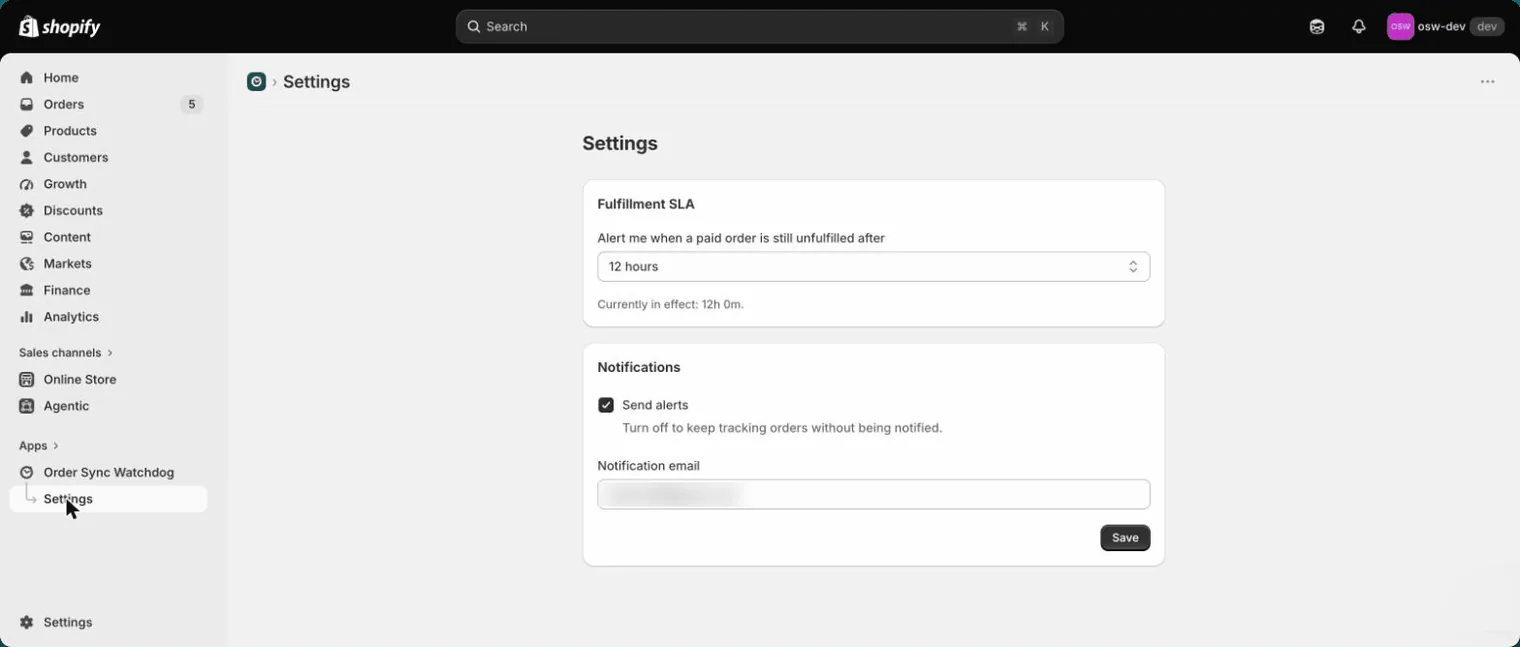
- Alerts when a paid order passes your fulfillment window (6, 12, 24 or 48 hours)
- Listens to Shopify webhooks and re-checks every 15 minutes, so a dropped webhook does not mean a missed alert
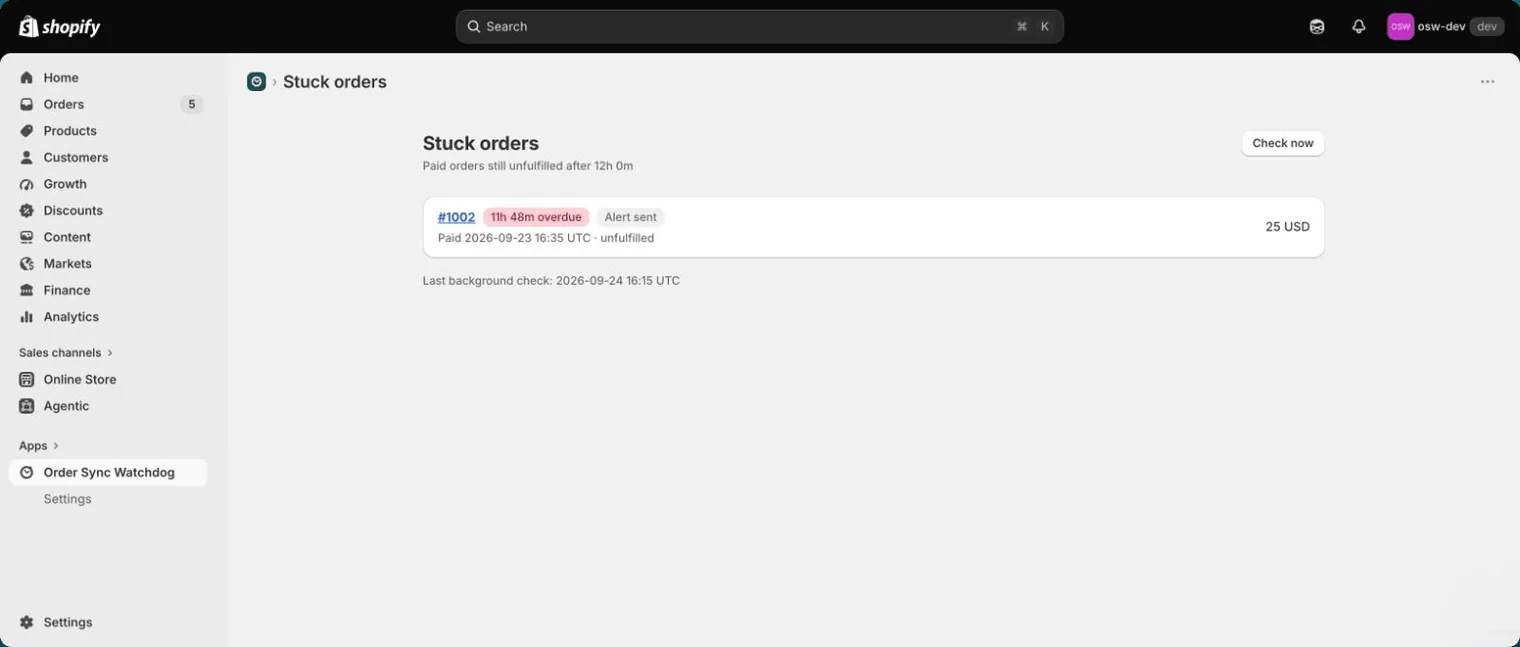
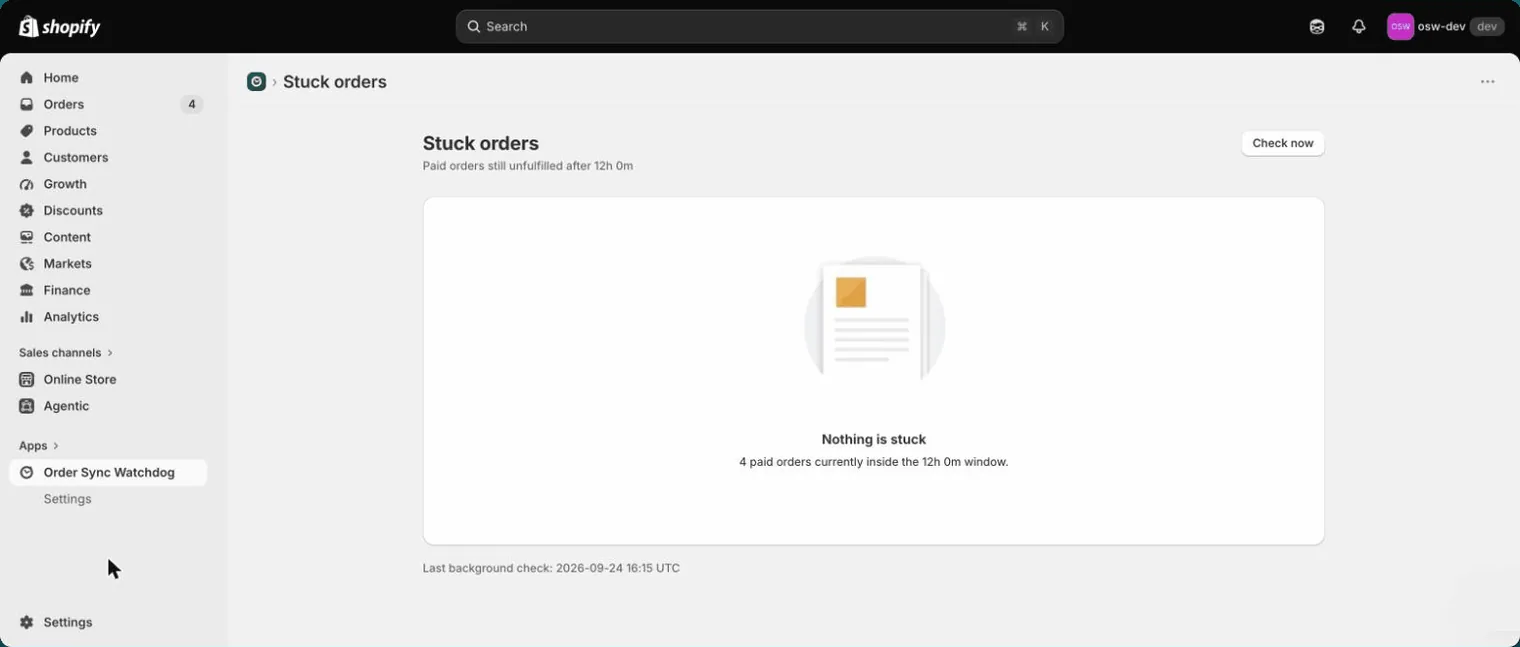
- Dashboard of every order currently past its window
- Read-only: never changes your orders and stores no customer names, emails or addresses
See it in the Shopify admin
How it works
Install and approve
Install the app from the Shopify admin and approve the subscription. The first 7 days are free.
Choose your window
Pick 6, 12, 24 or 48 hours and the email that should get alerts.
Fix what is stuck
Overdue orders appear in the app and in your inbox. Fulfilling an order clears it.
Watch the demo
40 seconds, no sound: a paid order goes overdue, the alert arrives, and fulfilling it clears the list.
Pricing
$9 per month after a 7-day free trial, billed through Shopify. Uninstalling the app cancels the subscription.
Help
Setup, billing and data questions are answered on the support page. Anything else: support@ivora.life.